Portal Registration Instructions
Follow these step-by-step instructions to register as an independent contractor agent on Arise and connect with LJAH VCenter (Service Partner ID: 6265853, Referral Code: 5413551).
LJAH VCenter
When prompted in the portal to choose your Service Partner, enter our ID below to join our virtual call center and receive ongoing support.
Step 1: Go to the Registration Portal
Open Google Chrome on your Windows 11 computer and navigate to the official Arise registration portal.
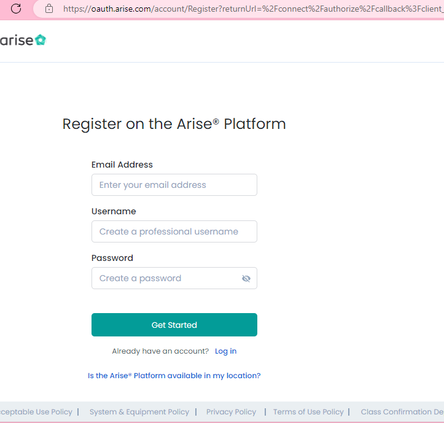
Step 2: Enter Account Information
Enter your primary email address and create a strong, secure password that meets system requirements.
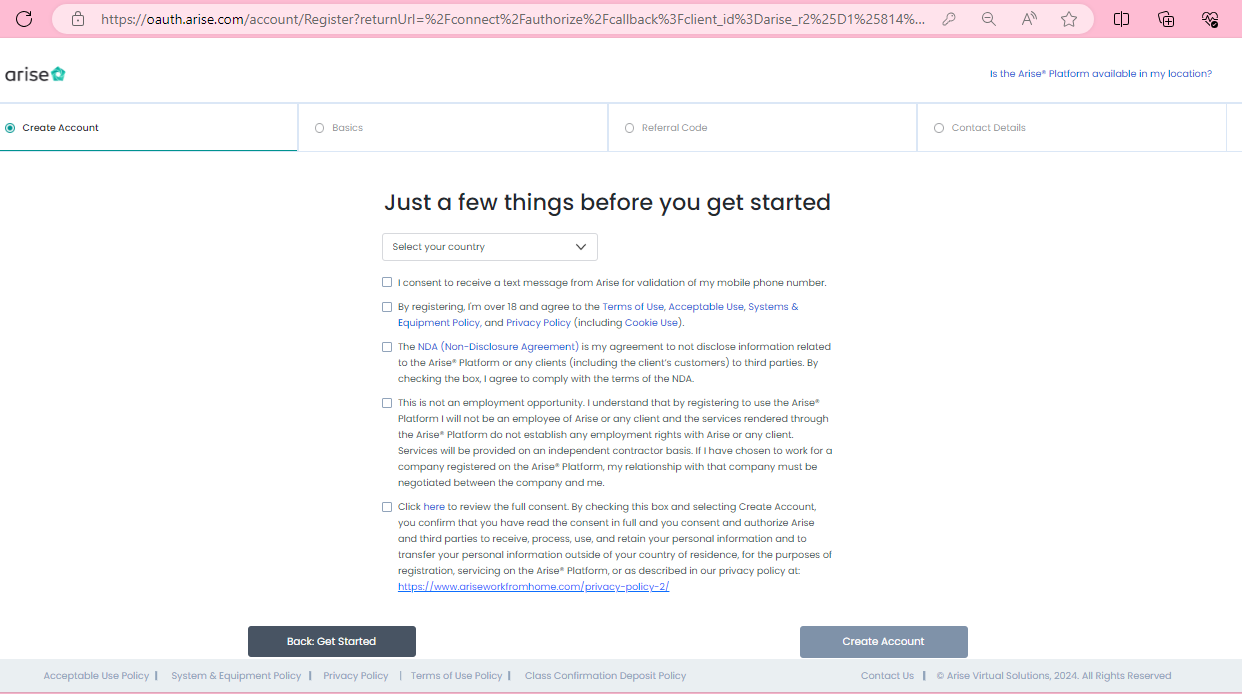
Step 3: Select Country & Agree to Terms
Choose United States in the Country dropdown, read all terms, check all agreement boxes, and click 'Create Account'.
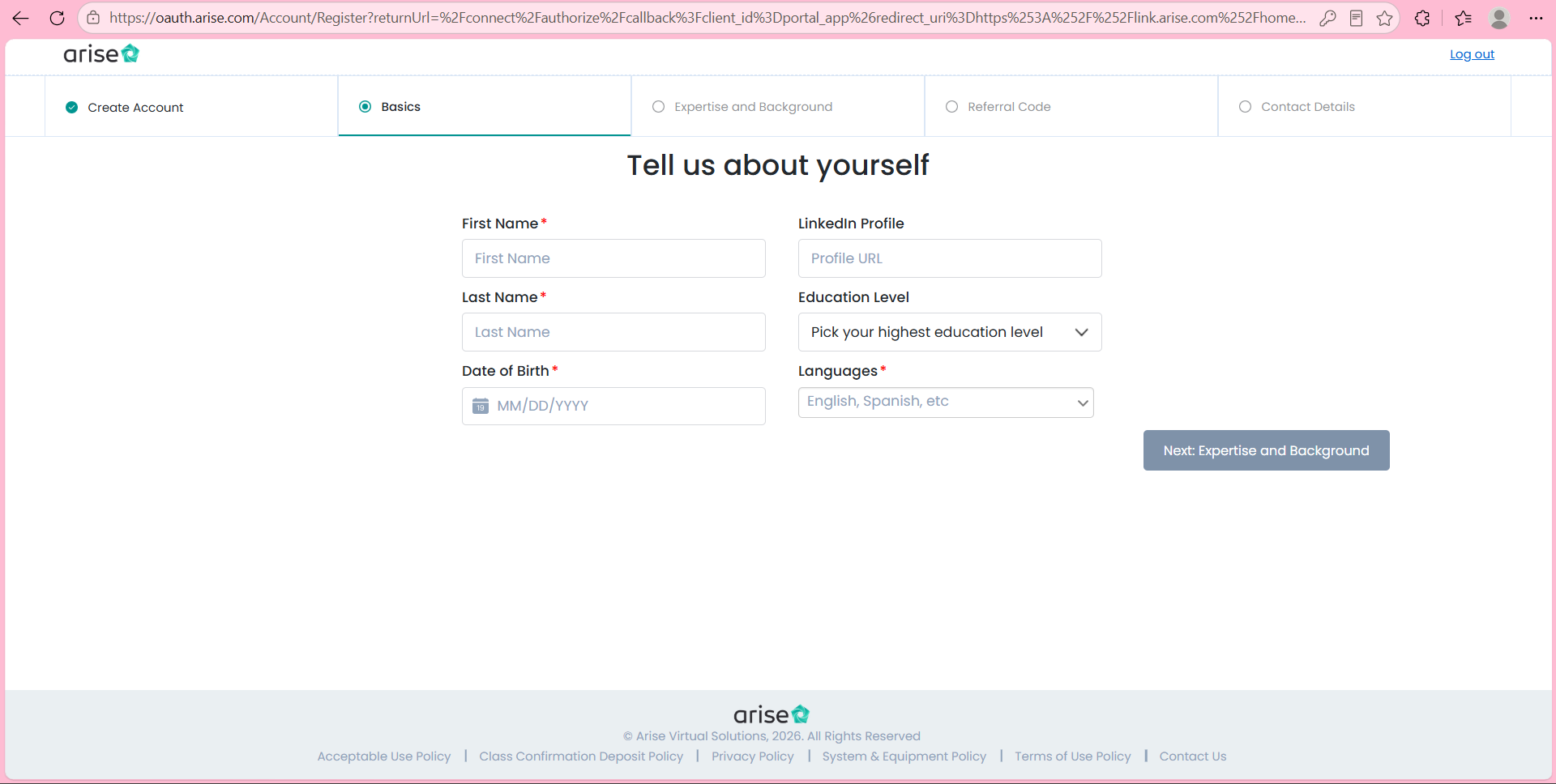
Step 4: Enter Personal Details
Enter your First Name, Last Name, Date of Birth, and Preferred Language exactly as shown on your government ID.
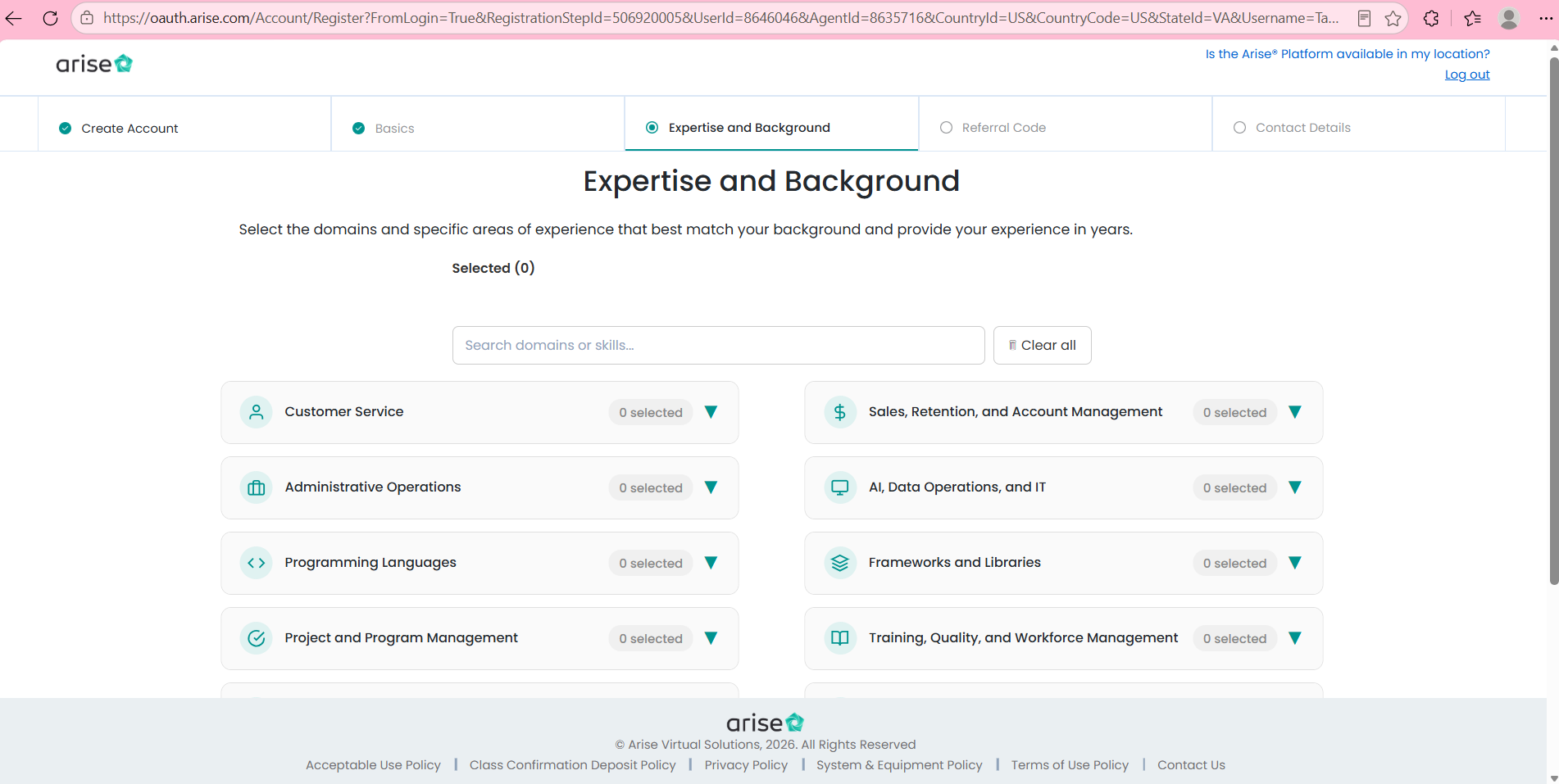
Step 5: Expertise and Background
Select all fields, industries, and domains to maximize the volume of client opportunities available to you. You will be fully trained for whatever brand you choose!
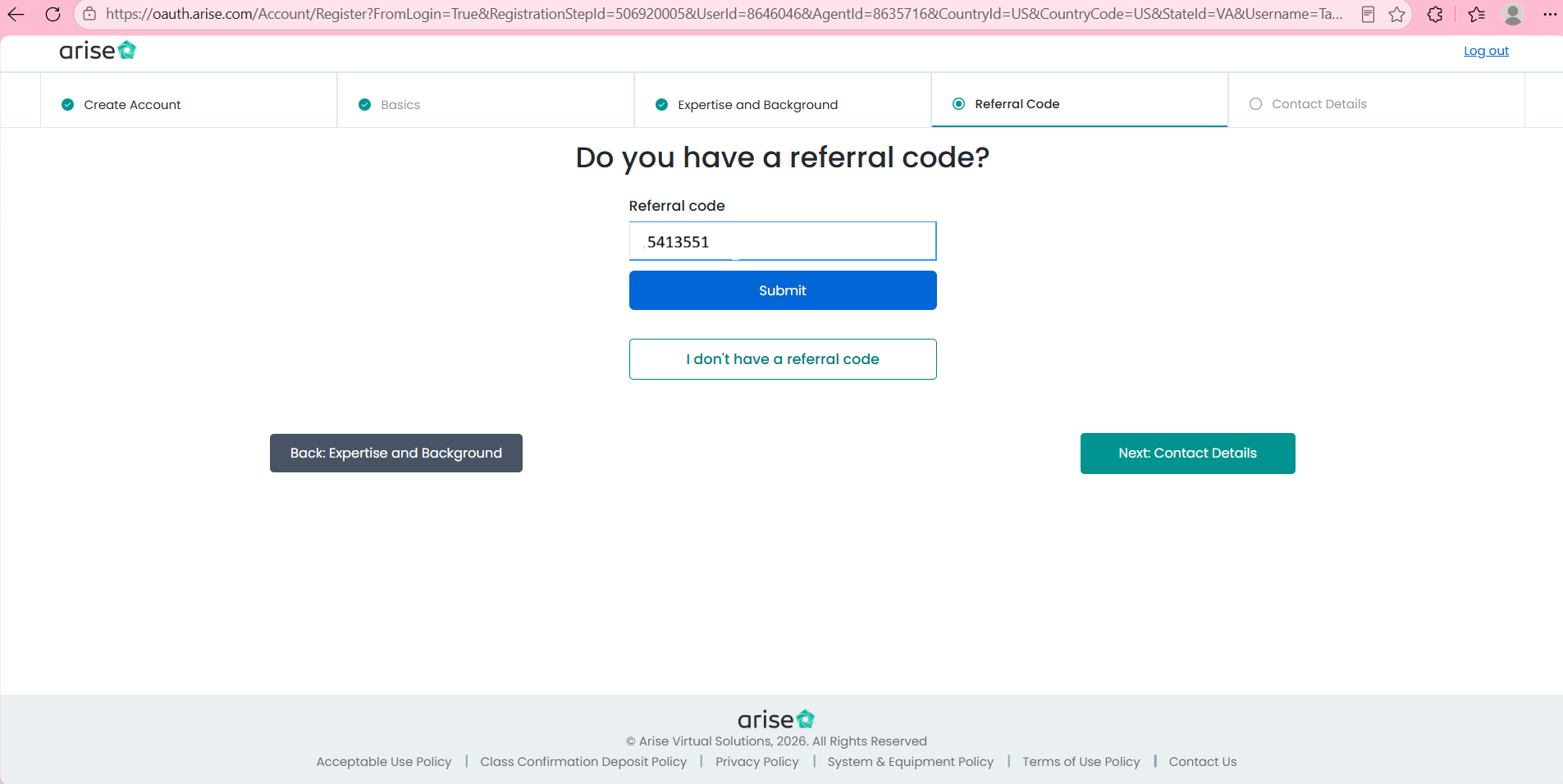
Step 6: Enter Referral Code
Enter Referral Code 5413551. Click 'Submit' and then click 'Next: Contact Details' to advance.
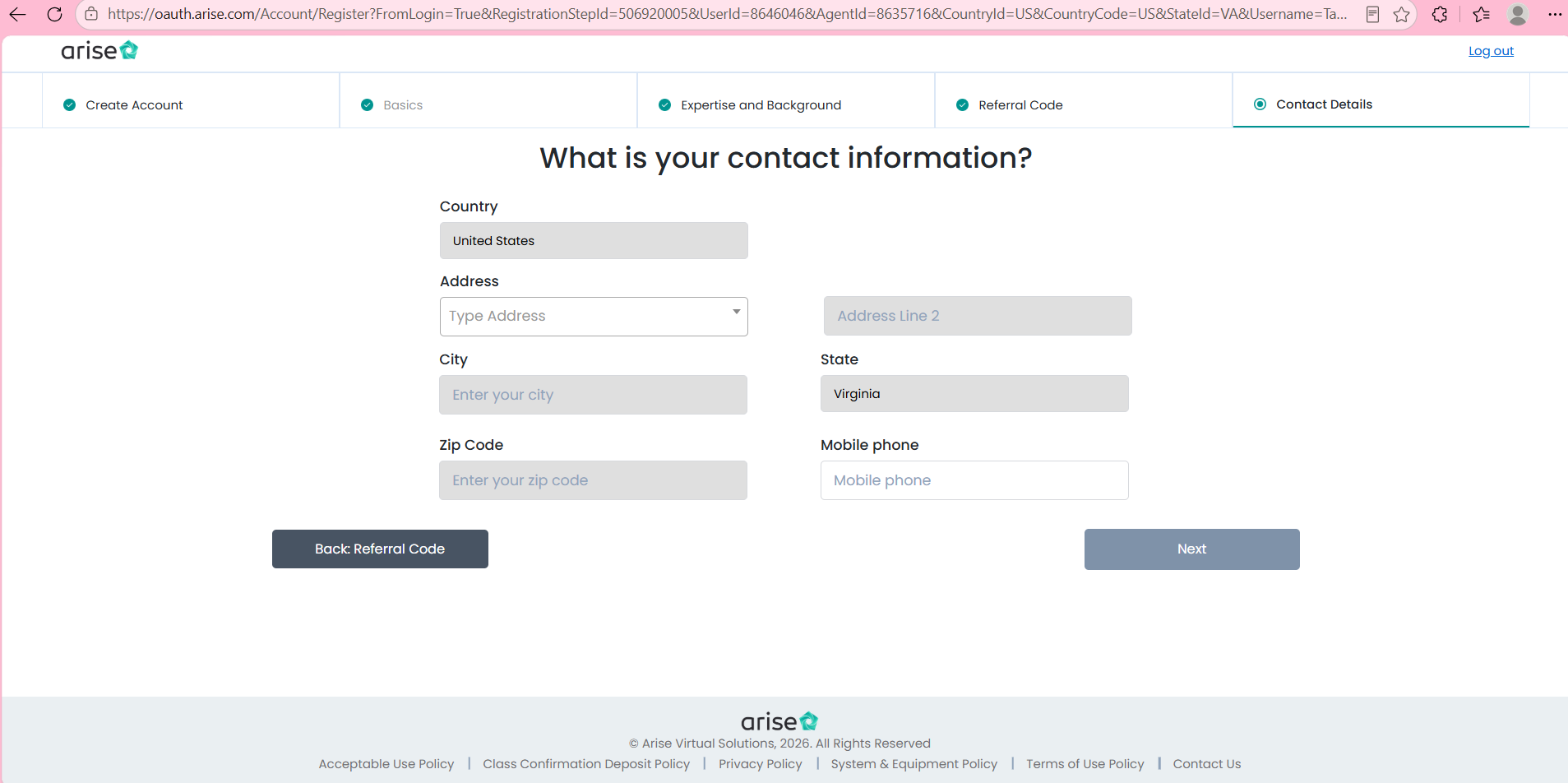
Step 7: Enter Complete Home Address & Phone
Enter your full residential street address (including apartment or suite number), city, state, zip code, and your primary mobile number.
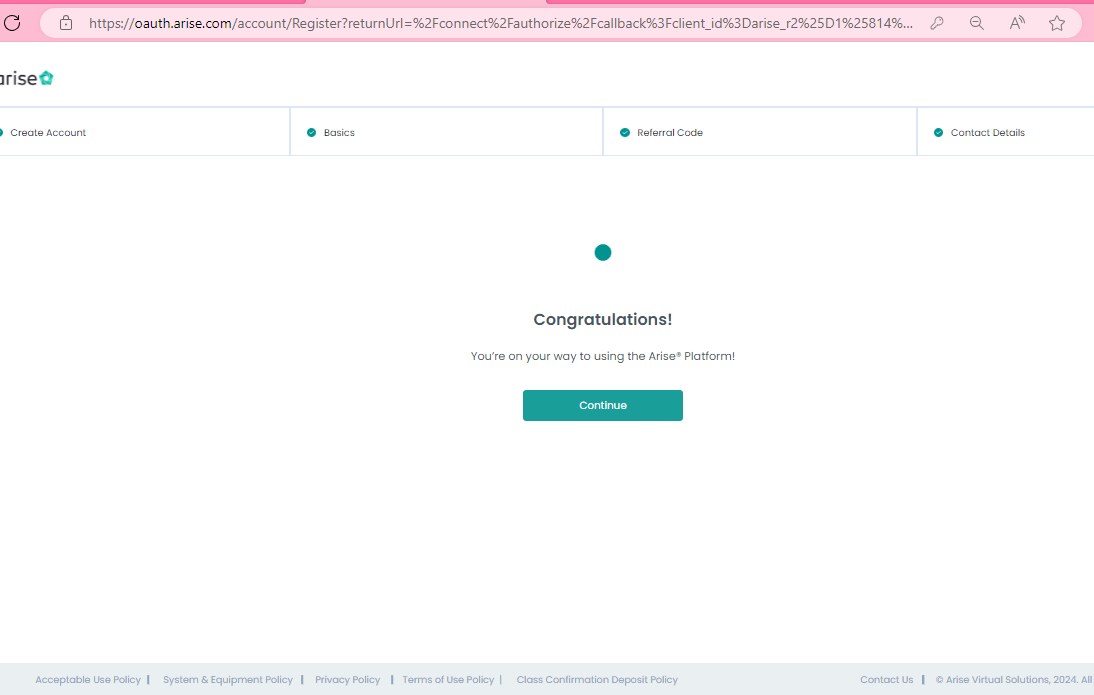
Step 8: Review Confirmation Screen
Carefully double-check that all personal details, phone numbers, and addresses are correct, then click 'Continue'.
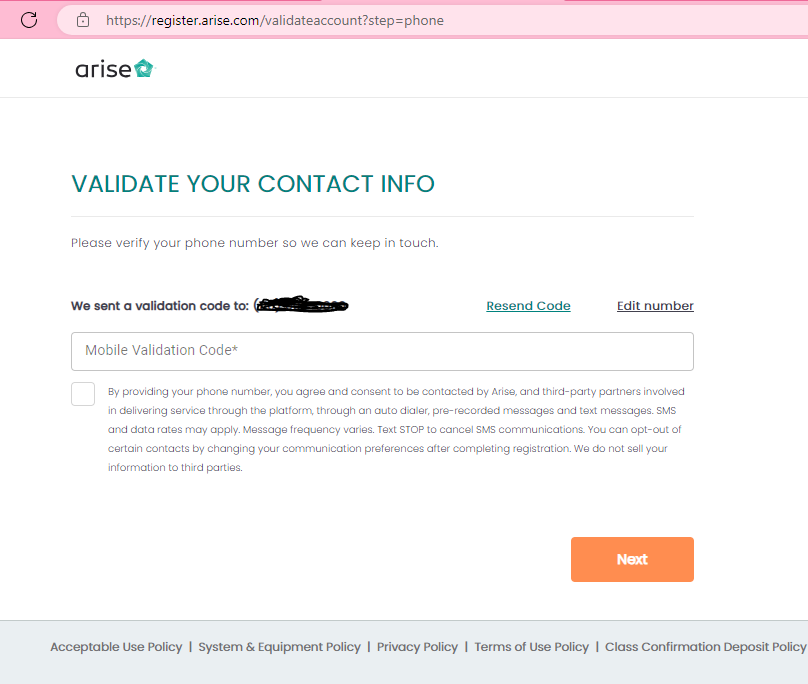
Step 9: Phone Number Validation Code
A 6-digit numeric verification code is sent via SMS to your mobile phone. Enter the code and click 'Submit' / 'Verify'.
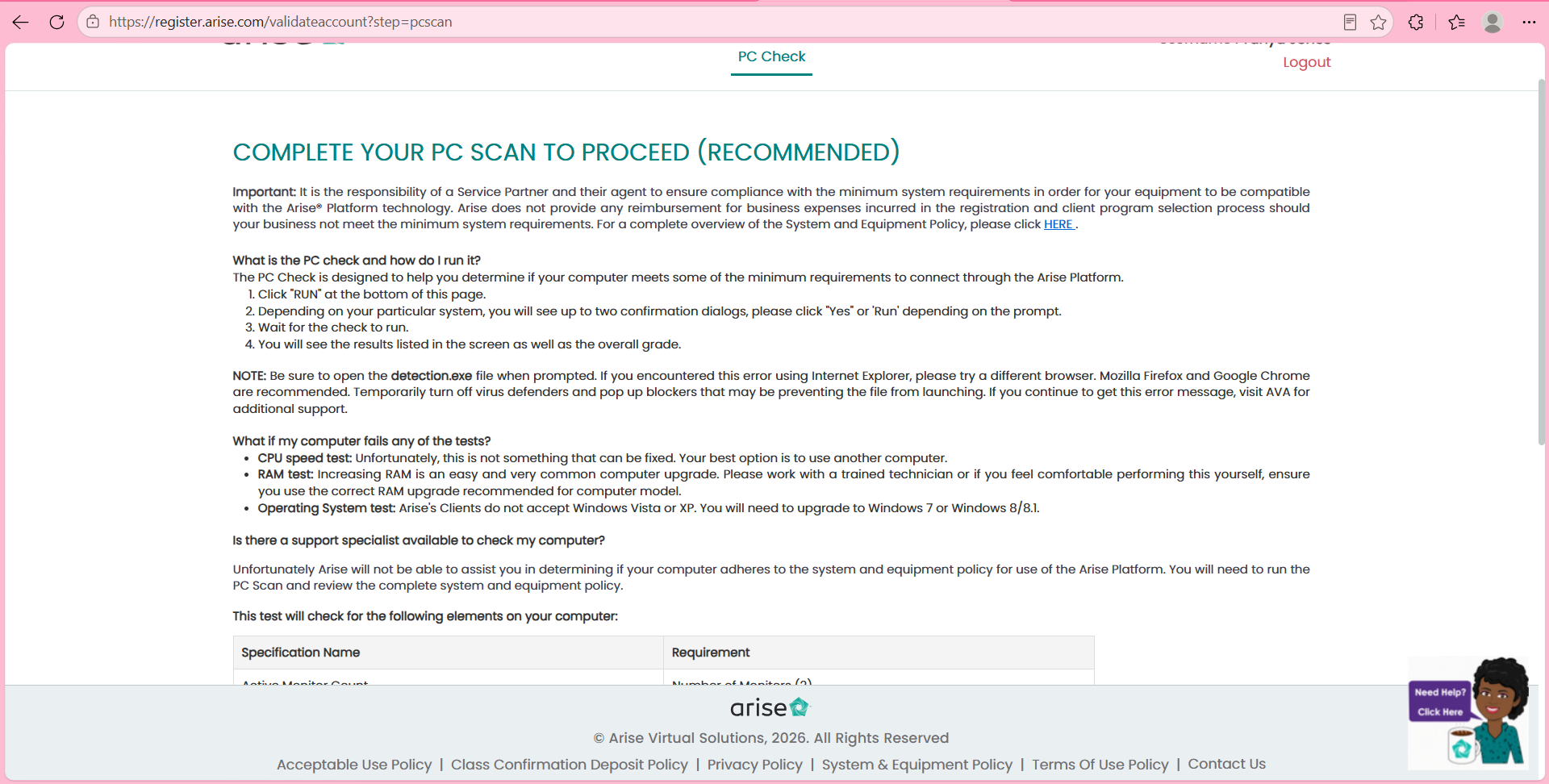
Step 10: Run PC Check
Ensure your computer runs Windows 11 with dual monitors connected. A successful PC scan must be recorded before enrolling in a client program.
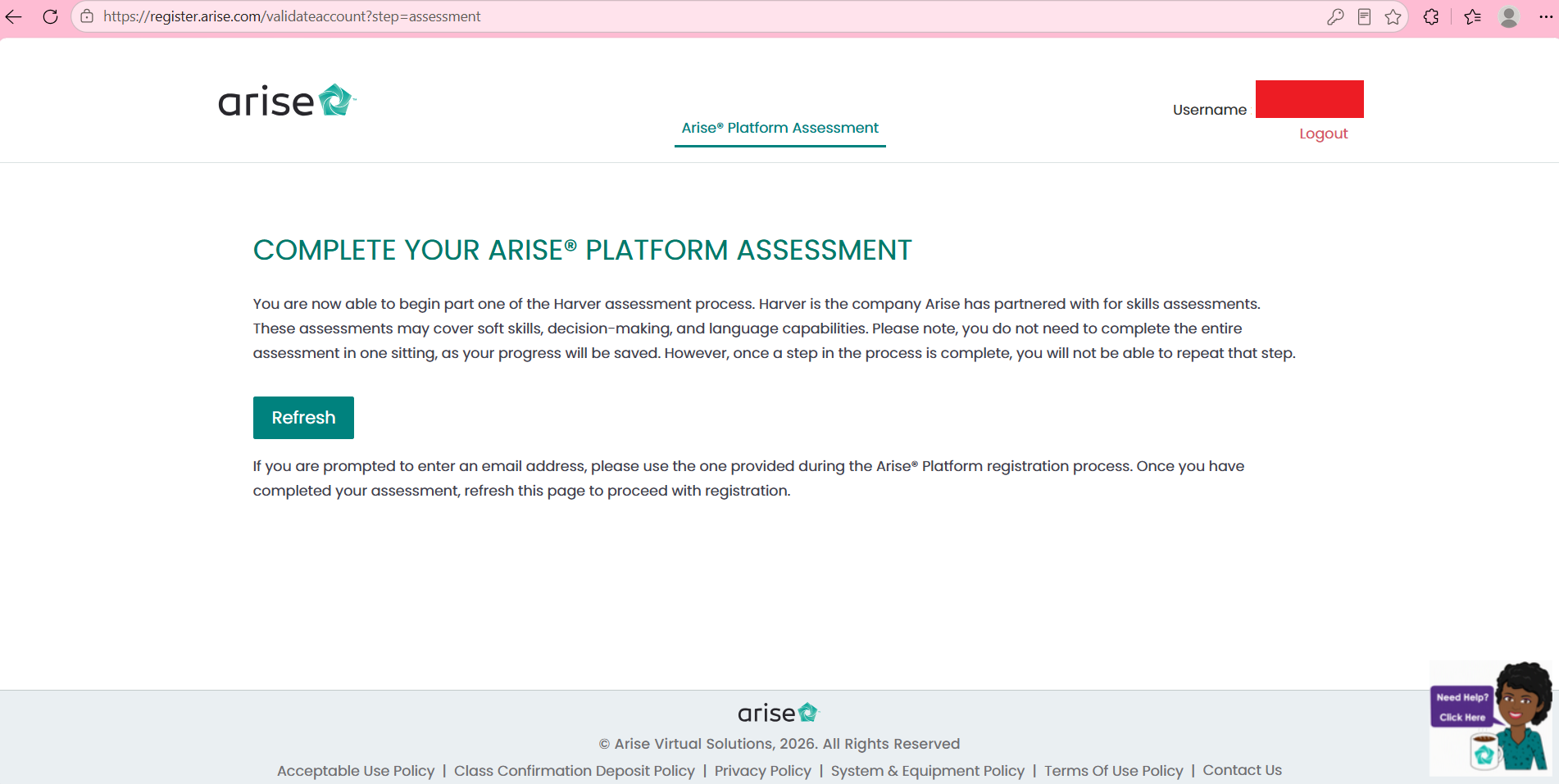
Step 11: Complete the Harver Assessment
Take your time and read each situational scenario carefully (approx. 45 min). Do NOT close the browser window or navigate away early, as that counts as an automatic fail. Watching the videos boosts your final score!
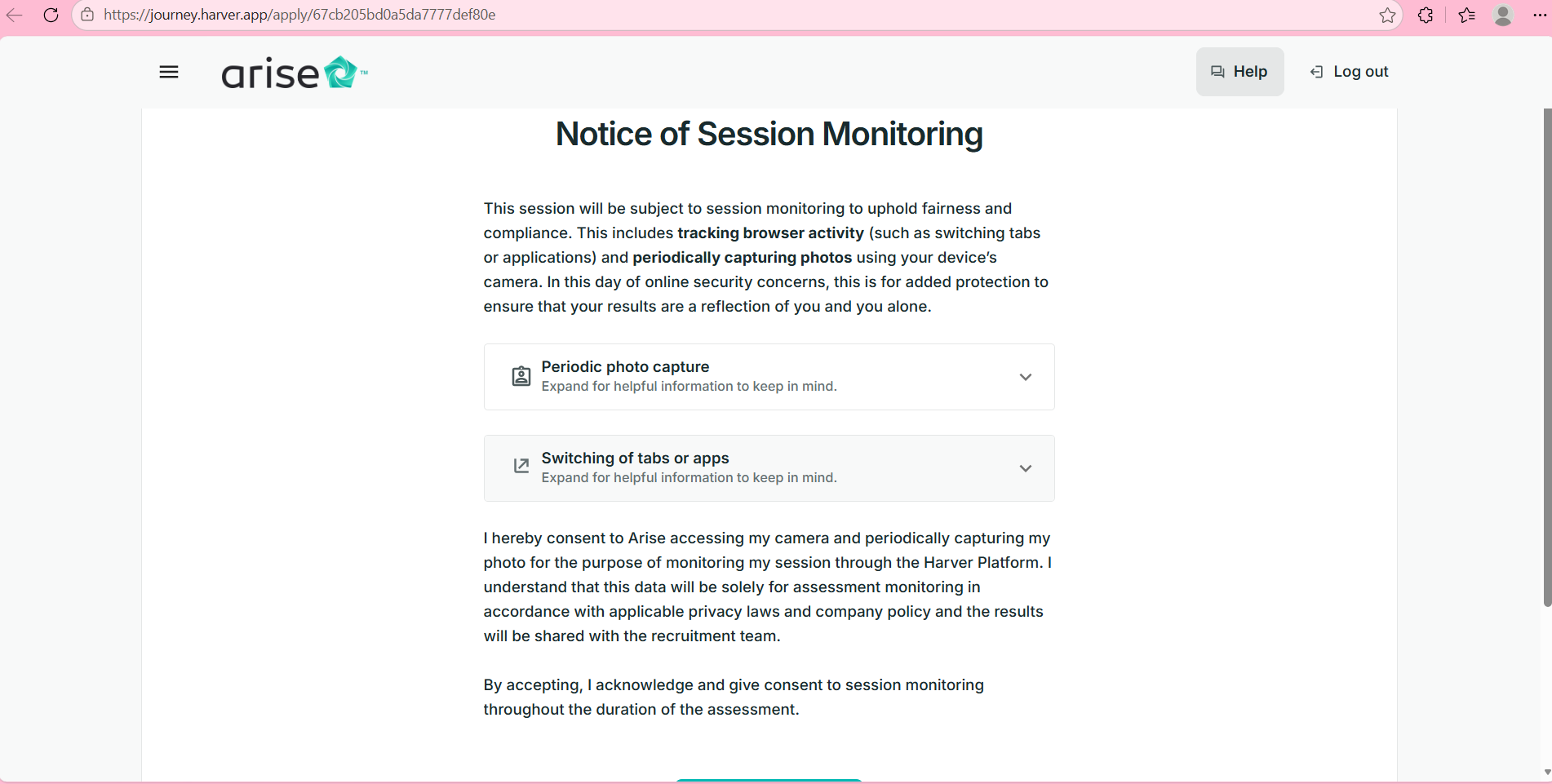
Step 12: Notice of Session Monitoring
During the assessment you may see a notice regarding periodic photo verification and browser tracking. You can accept or decline according to your preference.
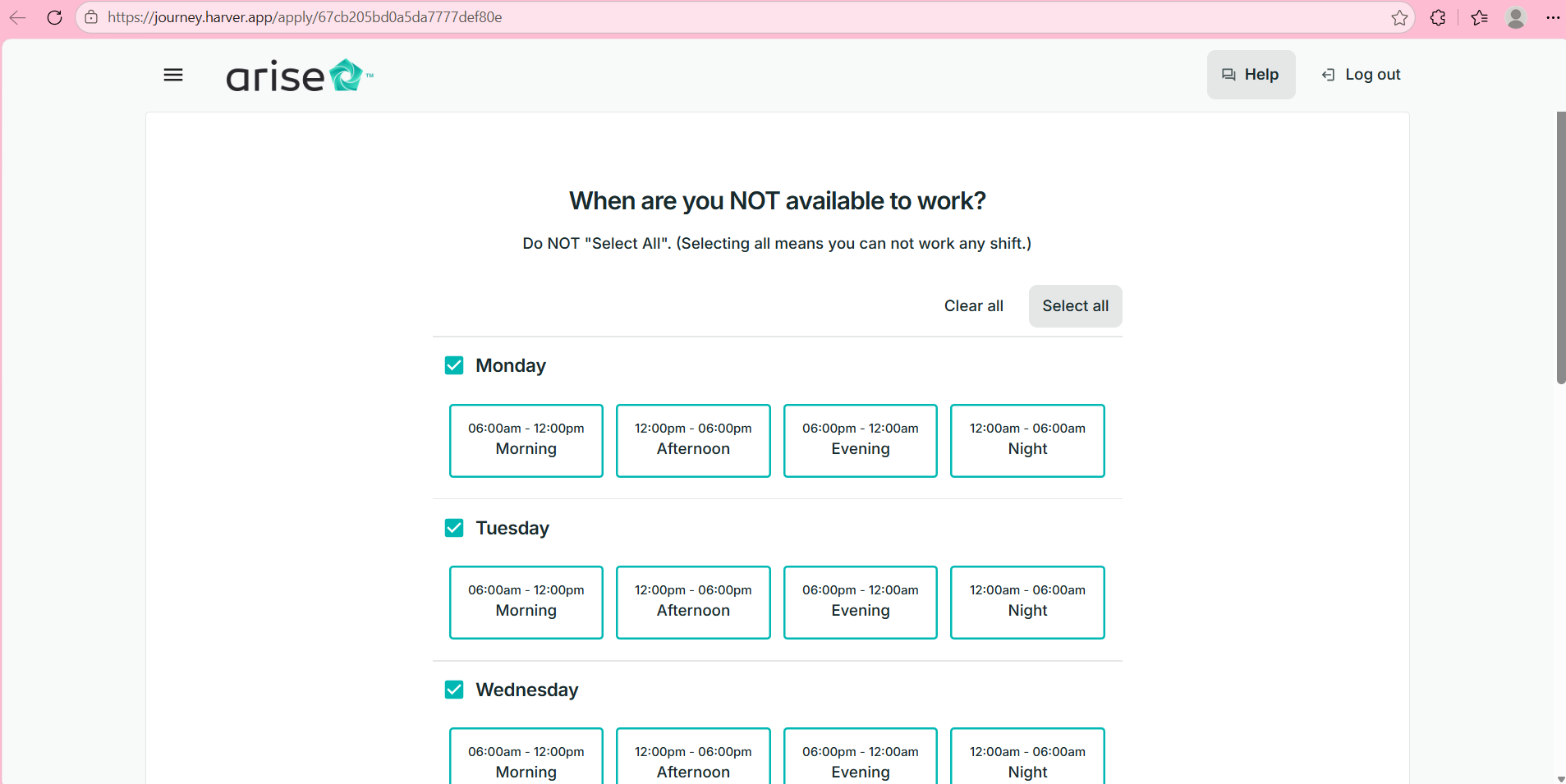
Step 13: When Are You NOT Available to Work?
You will be asked when you can NOT service clients. DO NOT CLICK 'SELECT ALL'! Only choose the specific slots when you are truly unavailable.
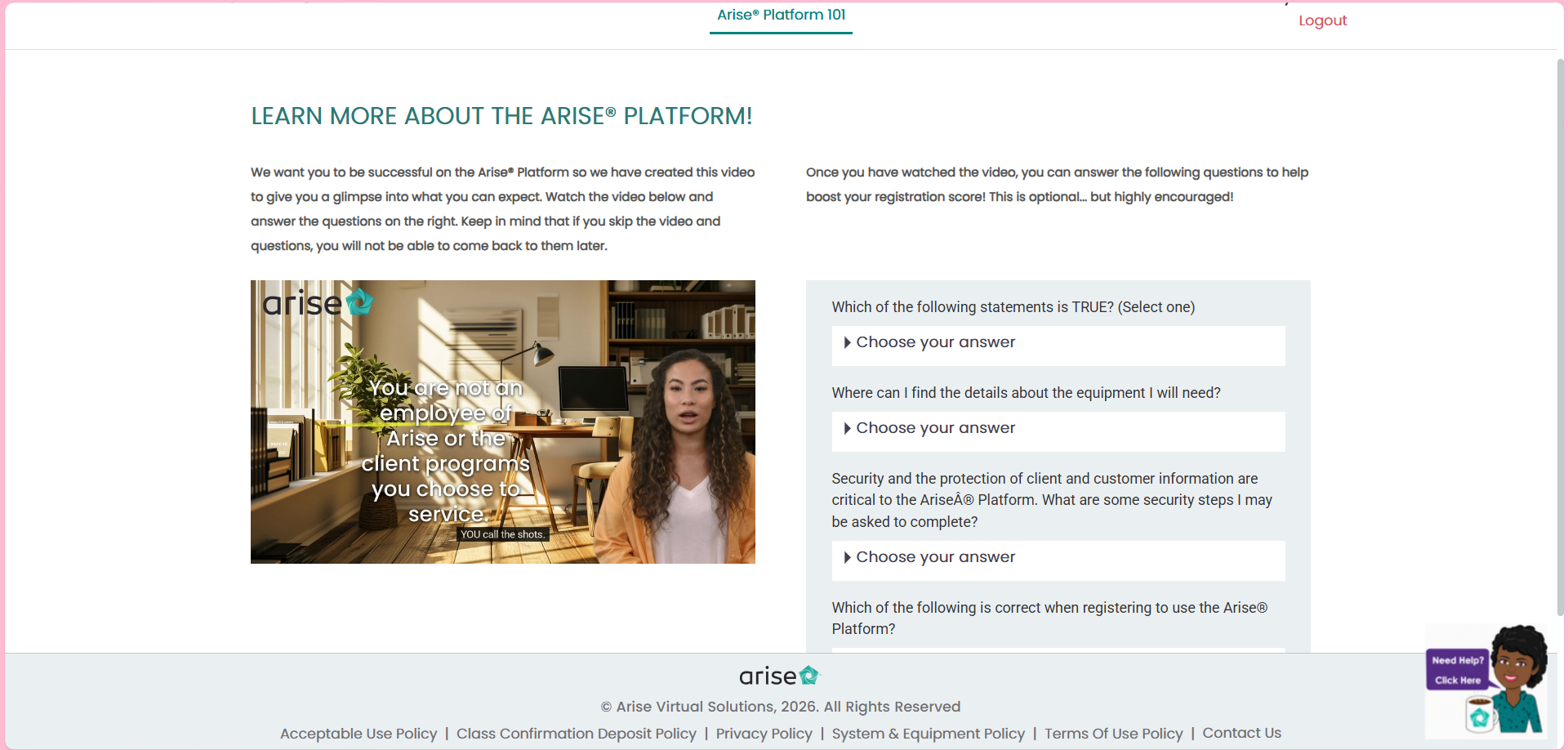
Step 14: Learn More About the Platform (Score Booster)
Watch the optional short platform video and answer the questions. This significantly improves your assessment ranking.
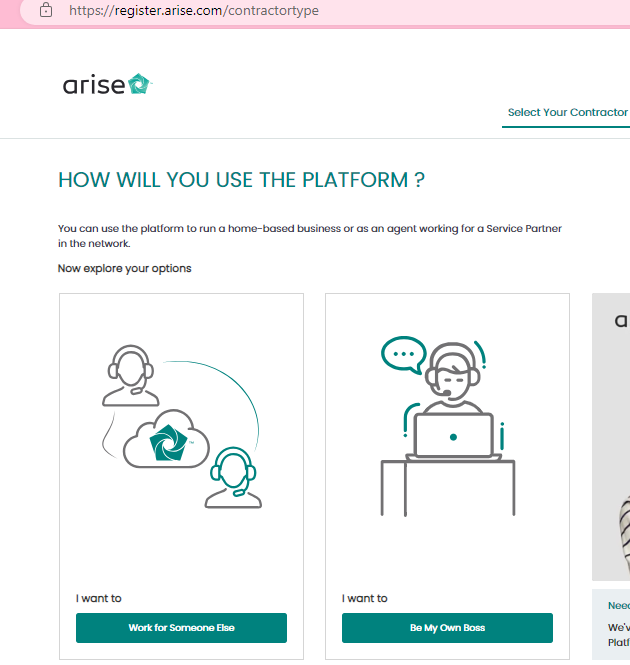
Step 15: Select 'I Want to Work for Someone Else'
When prompted on your business structure, select 'I want to work for someone else' (or 'Service Partner Agent'). Do NOT choose to incorporate a sole proprietorship/corporation.
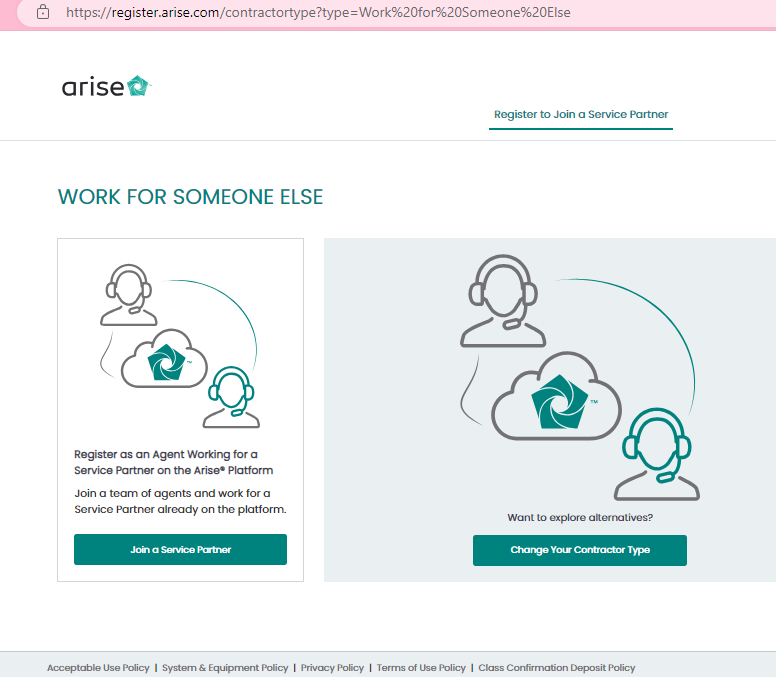
Step 16: Click 'Join a Service Partner'
Choose the option to 'Join a Service Partner' (also referred to as an Independent Business / Service Provider).
Step 17: Enter Personal Information & Verify Identity
Provide your legal name and Social Security Number to verify your identity on the secure Arise Platform.
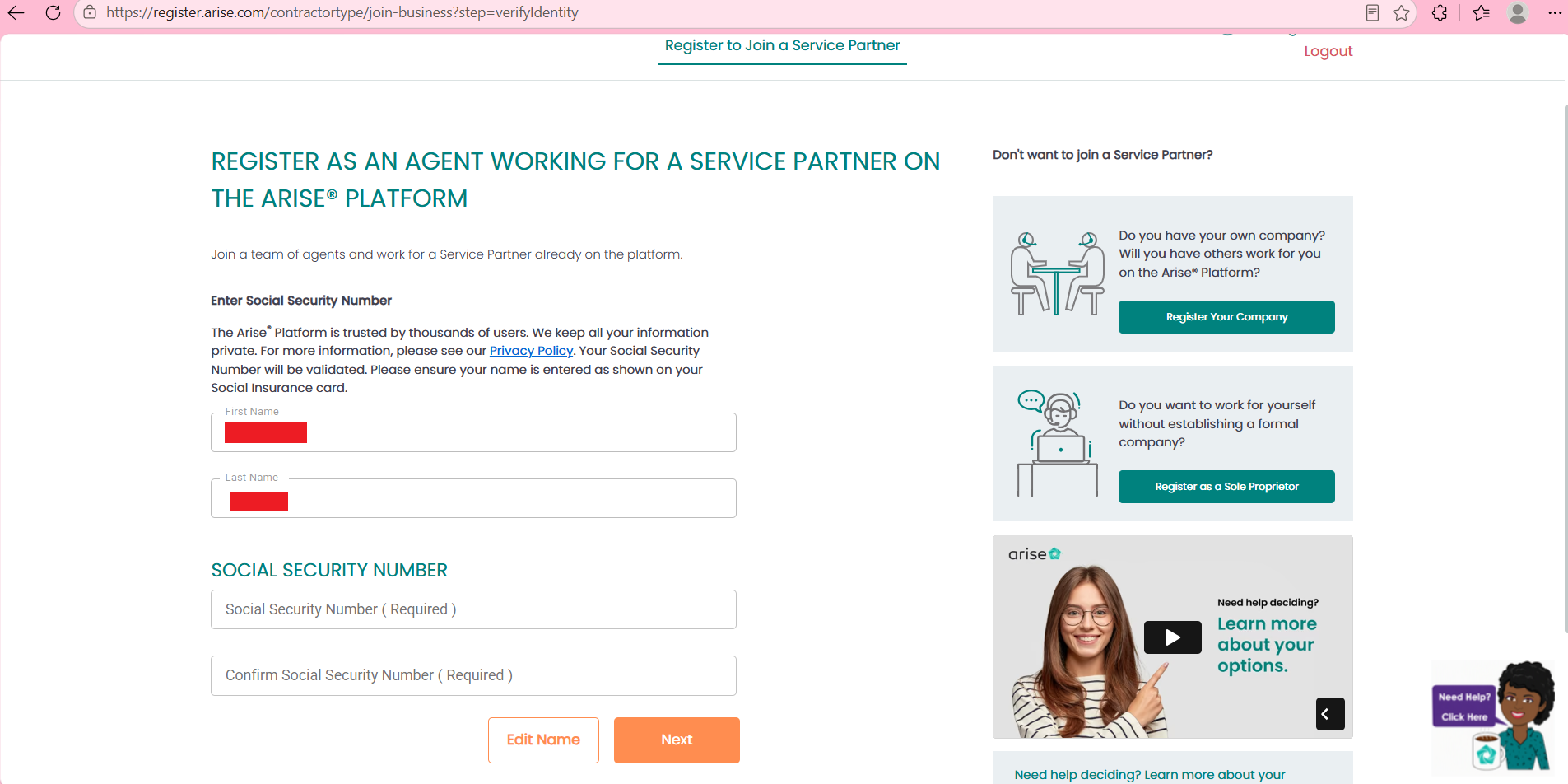
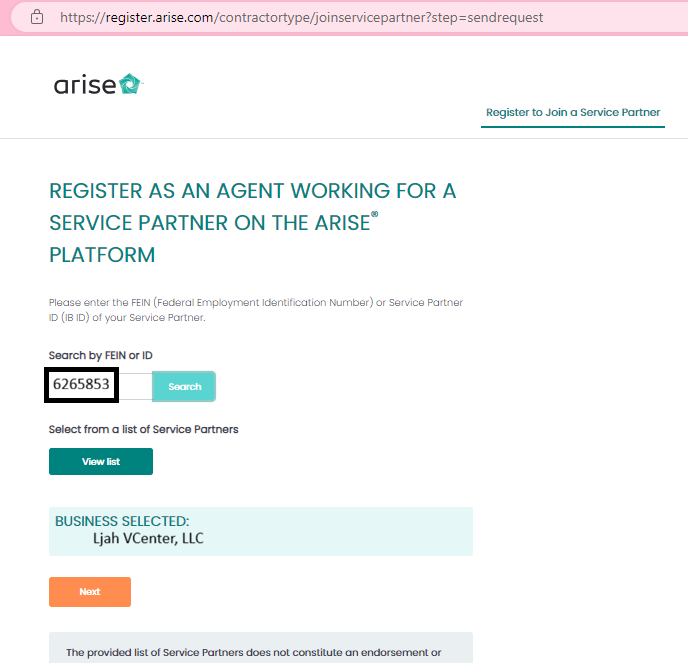
Step 18: Enter LJAH VCenter Service Partner ID: 6265853
In the Service Partner ID / IB ID field, enter 6265853 and click 'Search'. Confirm that 'LJAH VCenter' appears, then click 'Submit Request'.
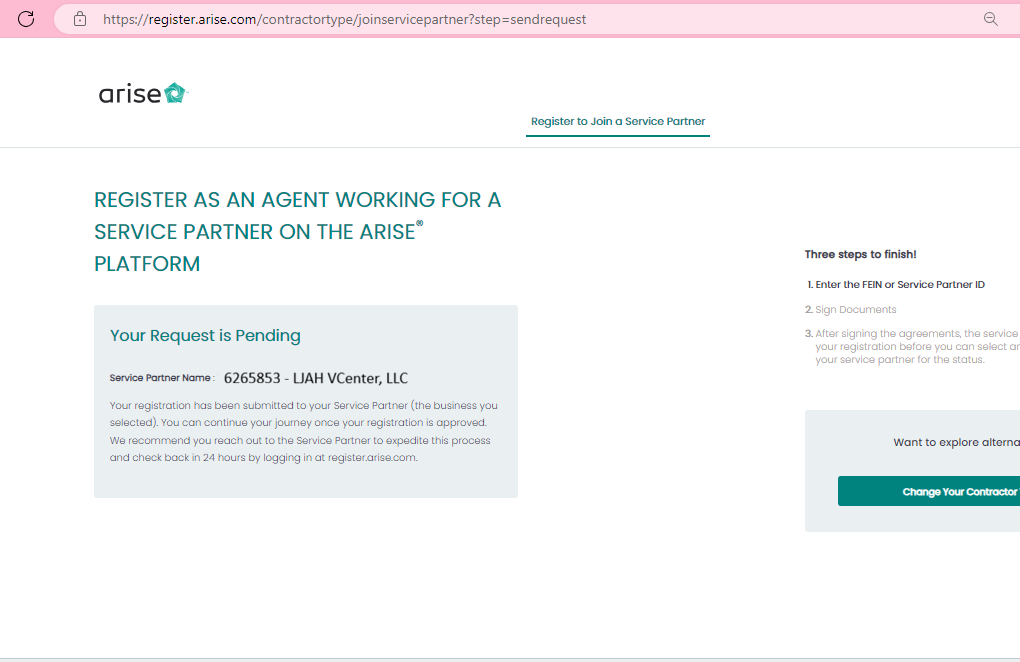
Step 19: Partner Approval, Sign NDA & Select Course
Our team will receive your partner request and approve it promptly! Log back into the dashboard, sign your Non-Disclosure Agreement (NDA), and enroll in your chosen client certification.
What Happens After You Complete Registration?
Once you submit your request to connect under LJAH VCenter (Service Partner ID: 6265853):
- Partner Request Acceptance: Our team checks pending requests throughout the day and accepts your agent profile under our Service Partner umbrella.
- Sign Documents & NDA: Log back into Arise to electronically execute your contractor agreements and Non-Disclosure Agreements.
- Take the Harver Assessment: Finish the 45-minute interactive customer service scenario test.
- Select Your Client Opportunity: Browse available customer service, healthcare, luxury travel, roadside assistance, and retail programs.
- Attend Certification & Start Servicing: Complete your virtual training class and begin taking calls from home with bi-weekly direct payouts!
Need Assistance With Your Registration?
If you get stuck on any step or have questions regarding computer specs or client course options, our support team is ready to guide you.